Image embedding.
Convert images directly to dense vector representations for semantic search, clustering, and similarity matching — without ever generating a caption.
Pixels are a terrible index.
A 512×512 photograph is a quarter of a million numbers. Two photos of the same cat, taken a second apart, share almost none of them. Shift the camera two pixels to the left and the raw arrays become strangers. This is the central nuisance of computer vision: semantic identity does not live in pixel space.
An image embedding is the fix. It is a short list of numbers — typically 512, 768, or 1024 floats — learned so that photographs of similar things land near one another and photographs of unrelated things land far apart. The journey from pixels to embedding is one forward pass through a trained neural network. The vector you get back is the image’s coordinate in a semantic space.
“Two images are similar if a good model, shown them side by side, would agree they depict the same kind of thing. Embeddings are that judgment, compressed into a ruler.”
A space you can walk through.
The clearest way to understand an embedding is to see one. Below: a miniature coordinate system and the cosine-similarity matrix between eight photographs. Notice how the cats cluster, the dogs cluster, and the landscapes hang somewhere else entirely.
How Image Embedding Works
Neural networks convert images and text into vectors (lists of numbers). Similar concepts have similar vectors.
Image becomes a vector

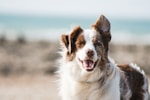
Similar things have similar vectors


Search by text (same vector space)
Visualizing in 2D (t-SNE projection)
Try It: Visual Similarity Search
See how CLIP embeds images and text into the same vector space. Click an image or type a query to find similar content.


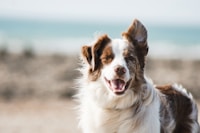





Image Similarity Matrix
Cosine similarity between CLIP embeddings. Higher = more similar.
Three ways to compress an image into a ruler.
Direct CLIP / SigLIP
Embed images directly into a shared vision-language space. One forward pass. Text and images live in the same coordinate system, so a phrase and a photo can be compared directly.
- Real-time capable on GPU
- Multilingual text search possible
- Single model, single forward pass
- Misses fine-grained details
- Struggles outside training distribution
CNN feature extraction
Take a pretrained ResNet or EfficientNet, strip the classification head, and use the penultimate layer as the embedding. Older trick; still surprisingly strong.
- Well-understood, decade of tooling
- Dozens of pretrained checkpoints
- No text-to-image search
- Often needs domain fine-tuning
Self-supervised (DINOv2)
DINOv2 never sees a caption — it learns purely from the pixels by asking each image to be consistent with different crops of itself. The result is embeddings that excel at fine-grained visual similarity: spotting the same dress in two photos, flagging near-duplicates, clustering on visual style rather than verbal category.
The models worth knowing.
| Model | Origin | License | Best for |
|---|---|---|---|
| OpenAI CLIP ViT-L/14 | OpenAI, 2021 | MIT | General-purpose zero-shot |
| OpenCLIP (LAION) | LAION, 2022+ | MIT | Scale — trained on 2B image-text pairs |
| SigLIP-SO400M | Google, 2023 | Apache 2.0 | Zero-shot accuracy, sigmoid loss |
| DINOv2 | Meta, 2023 | Apache 2.0 | Fine-grained similarity, duplicates |
Three recipes, forty lines each.
The shortest useful path from a folder of JPEGs to a searchable index. The third recipe is a complete visual-search system in roughly forty lines of Python.
CLIP Image Embedding with OpenCLIP
Embed images and search with text queries using OpenCLIP.
pip install open-clip-torch pillowimport open_clip
import torch
from PIL import Image
# Load model and preprocessing
model, _, preprocess = open_clip.create_model_and_transforms(
'ViT-L-14', pretrained='laion2b_s32b_b82k'
)
model.eval()
tokenizer = open_clip.get_tokenizer('ViT-L-14')
# Embed an image
image = preprocess(Image.open('photo.jpg')).unsqueeze(0)
with torch.no_grad():
image_features = model.encode_image(image)
image_features /= image_features.norm(dim=-1, keepdim=True)
# Embed a text query
text = tokenizer(['a photo of a cat', 'a photo of a dog'])
with torch.no_grad():
text_features = model.encode_text(text)
text_features /= text_features.norm(dim=-1, keepdim=True)
# Compute similarity
similarity = (100.0 * image_features @ text_features.T).softmax(dim=-1)
print(f'Similarity: {similarity}')SigLIP with Transformers
Google's SigLIP swaps CLIP's softmax for a sigmoid loss — calibrated probabilities and better zero-shot numbers.
pip install transformers torch pillowfrom transformers import AutoProcessor, AutoModel
from PIL import Image
import torch
# Load SigLIP
processor = AutoProcessor.from_pretrained('google/siglip-so400m-patch14-384')
model = AutoModel.from_pretrained('google/siglip-so400m-patch14-384')
# Prepare inputs
image = Image.open('photo.jpg')
texts = ['a cat sleeping', 'a dog running', 'a sunset']
inputs = processor(
text=texts,
images=image,
padding='max_length',
return_tensors='pt'
)
# Get embeddings
with torch.no_grad():
outputs = model(**inputs)
logits = outputs.logits_per_image # image-text similarity
probs = torch.sigmoid(logits) # SigLIP uses sigmoid, not softmax
for text, prob in zip(texts, probs[0]):
print(f'{text}: {prob:.3f}')Build a Visual Search Index
Index thousands of images in a folder, then query them with natural language.
pip install open-clip-torch faiss-cpu pillow tqdmimport open_clip
import torch
import faiss
import numpy as np
from PIL import Image
from pathlib import Path
from tqdm import tqdm
# Setup
model, _, preprocess = open_clip.create_model_and_transforms(
'ViT-L-14', pretrained='laion2b_s32b_b82k'
)
model.eval()
tokenizer = open_clip.get_tokenizer('ViT-L-14')
# Index all images in a folder
image_paths = list(Path('photos/').glob('*.jpg'))
embeddings = []
for path in tqdm(image_paths, desc='Indexing'):
image = preprocess(Image.open(path)).unsqueeze(0)
with torch.no_grad():
feat = model.encode_image(image)
feat /= feat.norm(dim=-1, keepdim=True)
embeddings.append(feat.numpy())
# Build FAISS index
embeddings = np.vstack(embeddings).astype('float32')
index = faiss.IndexFlatIP(embeddings.shape[1]) # Inner product = cosine sim
index.add(embeddings)
# Search with text
query = 'sunset at the beach'
text_tokens = tokenizer([query])
with torch.no_grad():
query_feat = model.encode_text(text_tokens)
query_feat /= query_feat.norm(dim=-1, keepdim=True)
D, I = index.search(query_feat.numpy().astype('float32'), k=5)
print('Top 5 matches:')
for i, (dist, idx) in enumerate(zip(D[0], I[0])):
print(f' {i+1}. {image_paths[idx].name} (score: {dist:.3f})')Where this ends up shipping.
- Visual search in photo libraries. “Find the picture of my dog at the beach” without tags or filenames.
- Similar-product retrieval. E-commerce “more like this” on pure visual appearance.
- Deduplication. Near-duplicate detection across a million-image corpus in seconds.
- Content-based recommendation. Cold-start item similarity when there’s no user interaction history yet.
Fresh paper, stale data, or a checkpoint we missed — real humans read every message, and we reply within 48 hours.