PaddleOCR text detection example
PaddleOCR bounding boxes, recognition output, and code.
A visual walkthrough of how PaddleOCR detects text regions on an invoice, turns them into bounding boxes, and returns line-level OCR output with confidence scores.
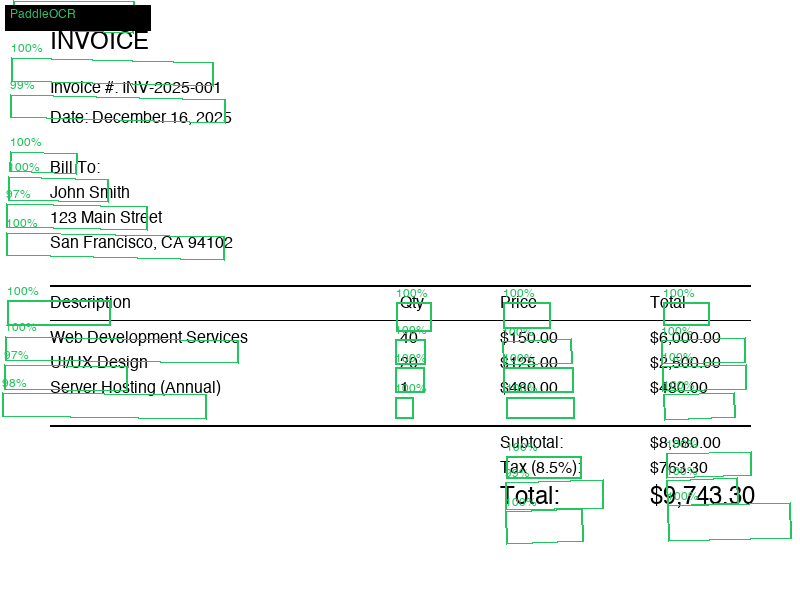
PaddleOCR detection overlay
Each green region is a detected text line. The OCR model then recognizes the text inside each box.
Detected boxes
29
Invoice text regions found by PaddleOCR.
Avg confidence
0.996
High confidence on printed invoice text.
Output lines
12
Readable text lines after recognition.
Best use
OCR
Detection and recognition before layout parsing.
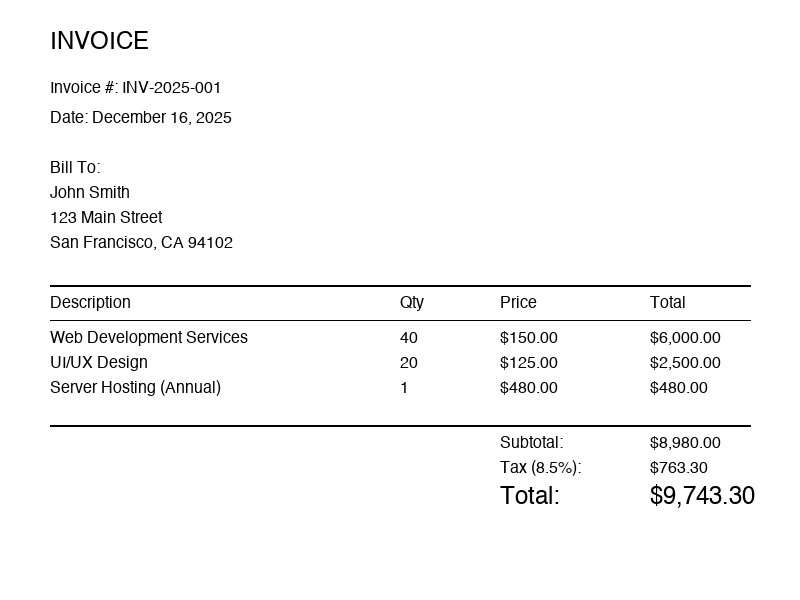
Input image
The original document image contains headers, address blocks, line items, totals, and dates.
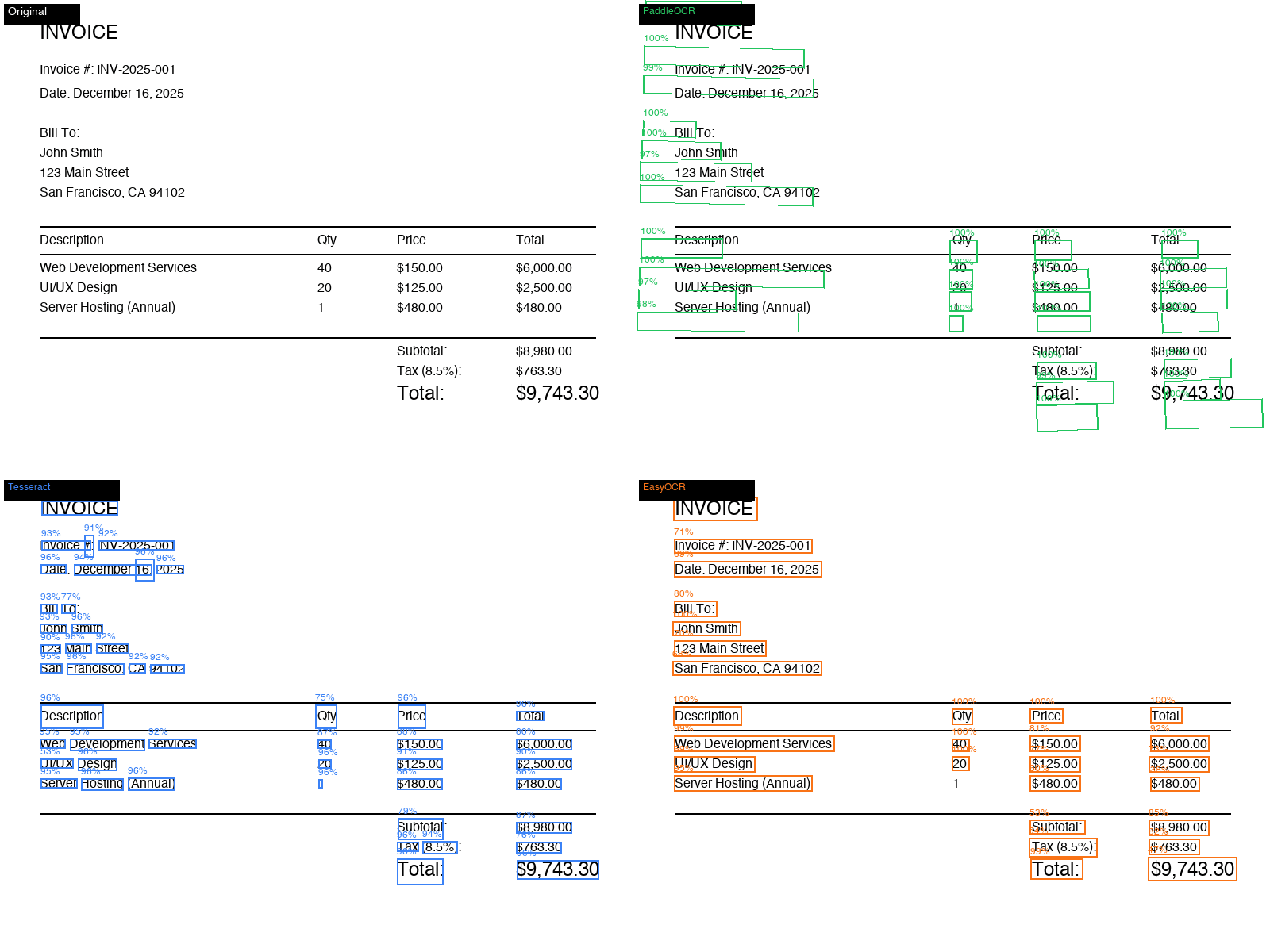
Bounding box comparison
PaddleOCR keeps most invoice fields as clean line-level regions, which makes downstream parsing easier.
Detection boxes
Example PaddleOCR bounding box rows
PaddleOCR returns polygon coordinates rather than only plain text. That makes it useful for visual OCR audits, table extraction, and page-region routing.
INVOICE
0.9999
Header detected as its own high-confidence text region.
Invoice #: INV-2025-001
0.9977
Identifier field stays intact, which helps key-value extraction.
Description
0.9999
Table header detected separately from item rows.
UI/UX Design
0.9675
A harder slash-containing label still lands as readable text.
Recognized output
INVOICE
Invoice #: INV-2025-001
Date: December 16, 2025
Due Date: January 15, 2026
Bill To:
Acme Corporation
Description Qty Price Total
Web Development 40 $125.00 $5,000.00
UI/UX Design 20 $100.00 $2,000.00
Subtotal: $7,000.00
Tax (8%): $560.00
Total: $7,560.00
Minimal PaddleOCR example code
The code path is two stage: detect regions, then recognize text in each region. The visual overlay is the audit artifact that tells you whether the model found the right document structure.
from paddleocr import PaddleOCR

ocr = PaddleOCR(use_angle_cls=True, lang="en")
result = ocr.ocr("sample_invoice.png", cls=True)

for page in result:
    for line in page:
        box = line[0]
        text, confidence = line[1]
        print(text, confidence, box)
Related visual research pages
Tesseract OCR example output
See a raw Tesseract output sample and where classic OCR struggles on invoice layout.
PaddleOCR document parsing
Move from detection boxes to layout-aware document parsing and markdown extraction.
PaddleOCR vs Tesseract
Side-by-side OCR benchmark notes, images, and practical selection guidance.