PaddleOCR document parsing
From OCR boxes to document structure.
PaddleOCR-style OCR is the start: text regions, recognized strings, and confidence scores. Document parsing adds layout, reading order, tables, and markdown so the result can be used by apps and agents.
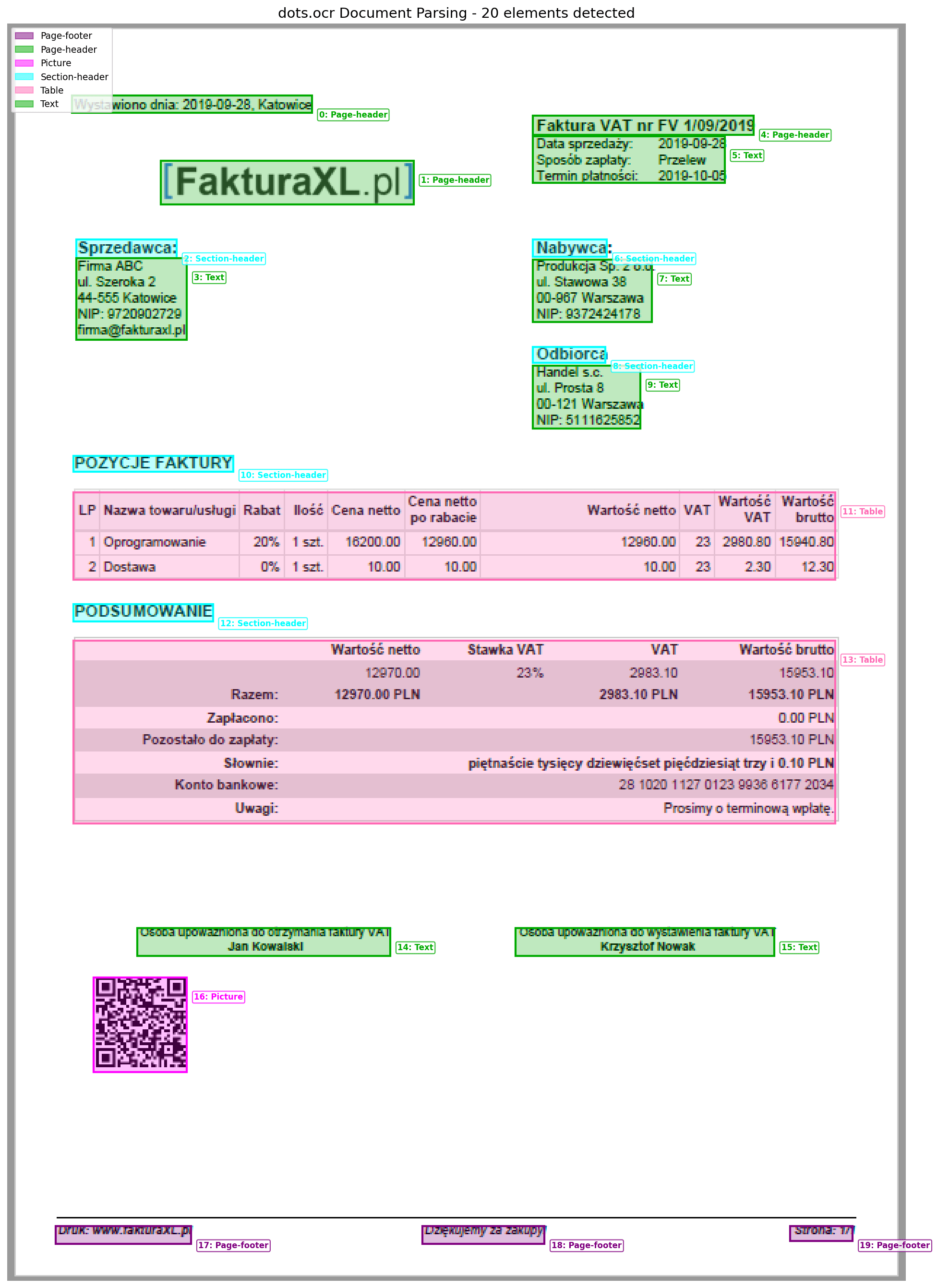
Parsed document output
Document parsing turns visual page regions into structured output that preserves the useful page hierarchy.
Stage 1
Detect
Find text regions and bounding boxes.
Stage 2
Read
Recognize characters inside each region.
Stage 3
Layout
Recover tables, forms, and reading order.
Stage 4
Export
Return markdown, JSON, or searchable text.
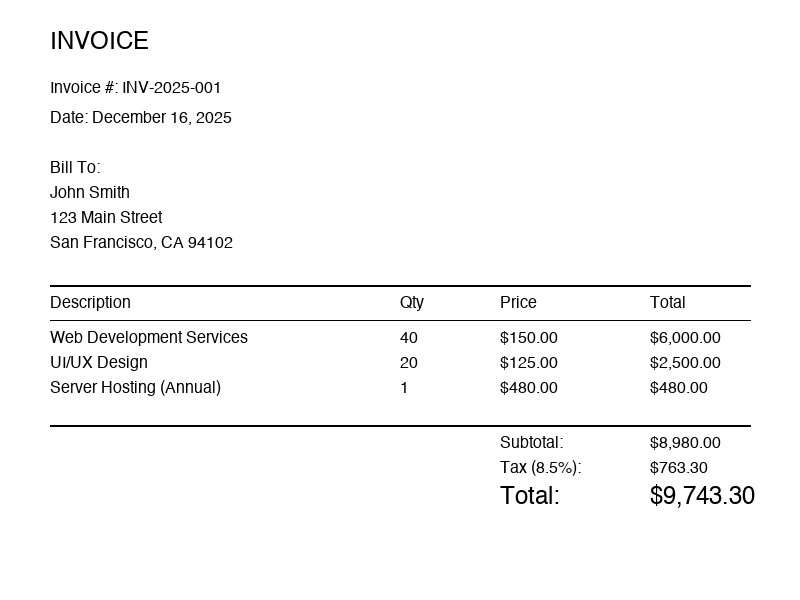
1. Original page
Document parsing starts with the same page image used by OCR.
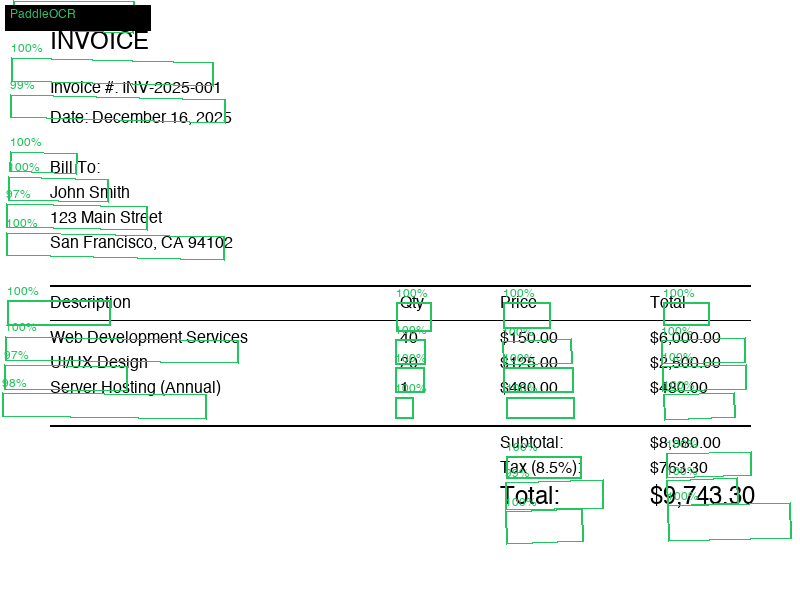
2. OCR regions
Text detection gives the parser spatial evidence about where content lives.
3. Structured output
Layout-aware parsing groups OCR text into blocks, tables, and fields.
OCR vs parsing
What PaddleOCR gives you, and what parsing adds
Classic OCR output is enough for searchable text. For invoices, receipts, statements, and forms, the harder problem is preserving document meaning after recognition.
Text detection
boxes
Coordinates for each region or word on the page.
Text recognition
strings
The readable characters found inside each region.
Layout parsing
blocks
Titles, tables, lists, key-value pairs, and reading order.
Final export
markdown/json
A structured artifact that software can compare, search, or validate.
A practical parsing pipeline
Treat OCR as evidence, not the whole product. The strongest document systems pair reliable text detection with layout-aware models and task-specific validation.
# Practical document parsing pipeline
image = load_document_page("invoice.png")

regions = text_detector(image)        # text boxes
words = text_recognizer(image, regions)
layout = layout_model(image, words)   # title, table, key-value, footer
markdown = table_and_block_parser(layout)

print(markdown)